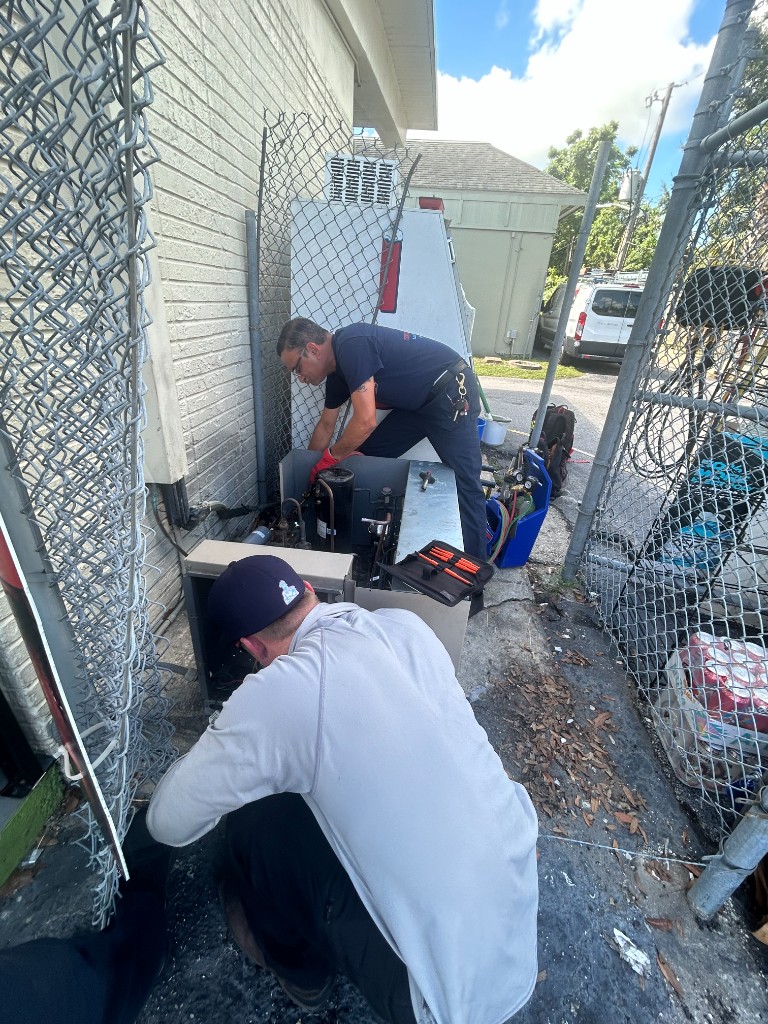

When the Grid Blinks: The Immediate Threat to Commercial Refrigeration
The first thing we check when a commercial walk-in cooler loses power isn't the internal temperature gauge—it's the electrical safety systems. When the lights flicker, the fans stall for a split second, and your entire commercial kitchen goes quiet, a sudden loss of power triggers immediate panic for facility managers. If you are dealing with one of those notorious August afternoon thunderstorms, that quick blink of the grid might seem harmless at first glance. However, while your natural instinct is to rush straight to the box to see if your inventory is safe, the real danger lies in the electrical surge that hits your equipment the moment power is restored.
When your system is compromised, professional Commercial & Residential Cooling Services and rapid Emergency Repair Services in Winter Haven are critical to protecting your valuable inventory and preventing permanent equipment damage.
The hidden danger of restoration: A methodical emergency response prioritizes protecting the compressor from catastrophic electrical failure over forcing an immediate restart. When the grid fluctuates, the incoming voltage rarely stabilizes instantly. Understanding this professional diagnostic protocol provides peace of mind that both your perishable inventory and your expensive refrigeration equipment are being protected from the invisible threats of unstable electricity.
Why Power Bumps Are More Dangerous Than Total Blackouts
A prolonged, complete blackout simply stops the cooling cycle. The system powers down, the fans stop spinning, and the insulated box begins a slow, steady fight against the ambient temperature outside. But rapid, intermittent power bumps actively attack the compressor motor. At Integrity Refrigeration & AC, our team typically sees the most severe compressor damage right at the end of summer, when intense August storms cause the power to drop and return in a matter of seconds, forcing your commercial walk-in cooler to face a massive mechanical and electrical hurdle.
The threat of short-cycling: This phenomenon occurs when power rapidly drops and returns, forcing the compressor to attempt a restart against incredibly high head pressure. The refrigerant hasn't had time to equalize within the system. The motor has to work exponentially harder to push against that pressure, drawing massive amounts of amperage in the process.
According to the U.S. Department of Energy, even a 5% voltage imbalance can cause a commercial compressor motor's temperature to rise by up to 50%. This rapid temperature rise leads to insulation failure inside the motor windings. If the system isn't properly protected, permanent motor burnout is the inevitable result. Phase imbalance and voltage irregularities are some of the most destructive forces a commercial refrigeration system will ever face.
The Anatomy of a Voltage Imbalance
Commercial walk-in coolers typically operate on 3-phase power, which relies on a perfectly balanced voltage across all three electrical legs to function smoothly. When the grid fluctuates, you rarely lose all three phases equally.
- Phase loss: Losing a single phase forces the remaining two legs to overwork, attempting to carry the entire electrical load of the heavy-duty compressor.
- Voltage drops: When the voltage drops below the required threshold, the motor pulls more amperage to compensate, generating extreme, destructive heat.
- Physical symptoms: A compressor struggling against an electrical imbalance often emits a loud, aggressive buzzing or grinding sound, and the casing becomes dangerously hot to the touch.
| Power Event Type | Immediate Impact on System | Risk to Compressor Motor |
|---|---|---|
| Total Blackout (Hours) | System shuts down entirely; cooling stops. | Low risk. System equalizes while off. |
| Rapid Power Bump (Seconds) | System attempts immediate restart against high pressure. | High risk. Extreme amperage draw and overheating. |
| Brownout / Voltage Drop | System runs but struggles to maintain RPMs. | Severe risk. Insulation melts due to heat buildup. |
| Phase Loss (Single Phasing) | Motor locks up but continues drawing heavy current. | Critical risk. Immediate burnout if not locked out. |
The Critical First Step: Verifying the Phase Monitor
Because of the massive risks associated with unstable electricity, the first thing we check when a commercial walk-in cooler loses power is the phase monitor, not the thermostat. The thermostat only tells us if the box is warm; the phase monitor tells us if the electricity is safe enough to turn the equipment back on.
A phase monitor is an electronic protection device installed in the electrical panel of your commercial refrigeration equipment. It constantly measures incoming voltage for phase loss, phase reversal, or phase imbalance. If the grid power is unstable, the phase monitor intentionally locks out the compressor to prevent it from destroying itself.
Here is the exact diagnostic protocol our professional technicians follow during comprehensive System Inspection & Diagnostics:
- Isolate the power supply: We first ensure that the disconnect is safely engaged so we can evaluate the incoming grid power without risking further damage to the unit.
- Check the phase monitor status: We inspect the LED diagnostic lights on the phase monitor. A red or flashing light typically indicates that the monitor has detected phase imbalance and voltage irregularities, intentionally keeping the system offline.
- Measure incoming voltage: Using a professional multimeter, we verify the exact voltage across all three legs to ensure the grid has fully stabilized.
- Verify the time delay: Most commercial phase monitors have a built-in time delay (usually 3 to 5 minutes) that prevents the compressor from restarting until the refrigerant pressures have safely equalized.
- Clear the lockout: Only after confirming that the incoming power is clean and the pressures are equalized do we allow the contactor to pull in and restart the cooling cycle.

Methodical Diagnostics Over Rushed Restarts
In a high-stress emergency, facility managers often want technicians to bypass safety controls just to get the box cooling again. When thousands of dollars of inventory are on the line, the pressure to find a quick fix is immense. However, bypassing a tripped phase monitor or manually forcing a contactor closed is a guaranteed way to destroy a 3-phase compressor.
The value of a measured response: Professional commercial refrigeration service requires strict adherence to diagnostic protocols, ensuring long-term equipment survival. Taking the extra time to diagnose complex electrical faults prevents a minor power issue from becoming a catastrophic equipment replacement. We don't just act as parts changers; we act as equipment protectors.
Our rapid response protocols and specialized commercial diagnostic expertise mean we solve complex issues methodically. For example, during a recent bout of hot Florida weather, one local facility experienced a sudden system failure. Because of our emergency protocols, our owner arrived within 30 minutes, thoroughly assessed the electrical issue, and made the necessary repairs without compromising the system's built-in safety mechanisms. Rushing the process would have put their entire system at risk, but a careful, protocol-driven approach got them running safely and quickly.
Managing Inventory Risk During the Outage
While professional technicians handle the complex electrical diagnostics outside, facility staff must focus entirely on preserving the internal temperature inside. Your immediate actions during a power outage directly impact how much inventory survives the event.
The 4-hour window: The FDA advises that a closed commercial refrigerator can maintain safe temperatures for roughly 4 hours, though heavily insulated walk-ins often perform better if left completely undisturbed. This timeline is a critical factor in understanding the role of commercial refrigeration in food safety.
Florida's extreme ambient heat and heavy humidity make keeping the walk-in doors sealed absolutely critical during an outage. Every single time that heavy metal door opens, heavy ambient heat and thick moisture rush into the box, displacing the dense, cold air that was protecting your food. Establish a strict "doors closed" policy for all staff members the moment the power goes out.
Avoid the breaker-flipping trap: Avoid the temptation to manually reset breakers repeatedly in an attempt to force the system back on. Flipping the breaker on and off can override internal time delays, forcing the compressor to start against unequalized pressure and causing the exact electrical damage the phase monitor is trying to prevent.
Navigating Late-Summer Grid Strain in Central Florida
During the peak cooling months and the late-summer back-to-school transition, the local power grid faces immense strain from thousands of commercial and residential HVAC systems running simultaneously. This high demand increases the likelihood of localized brownouts, voltage drops, and phase loss events across the region.
If your business operates in the busy Winter Haven commercial districts, proactive electrical protection and routine monitoring are essential. In our years of providing commercial refrigeration services, a pattern we see often is that businesses operating in these high-strain zones experience grid fluctuations as simply a part of doing business in late summer. Partnering with a professional team that understands commercial schedules ensures that when the grid fluctuates, your business experiences minimal downtime.
Fixing past mistakes: Sometimes, the vulnerability of your system isn't just about the weather; it's about how the equipment was previously serviced. In one instance at a local rental property, an AC system was struggling due to bad work performed by a previous company. By taking a cost-conscious, thorough diagnostic approach, we identified the underlying faults and addressed them properly. When you rely on expert Lakeland Emergency Repair Services, you ensure that your system is wired, protected, and monitored correctly, safeguarding it against future grid anomalies.
Protecting Your Commercial Assets with Professional Diagnostics
Understanding exactly why a professional technician checks the phase monitor first gives facility managers confidence in the diagnostic process. When the first thing we check when a commercial walk-in cooler loses power is the electrical protection, we are actively preventing a bad situation from becoming a devastating one.
Patience pays off: Patience during the restart protocol is the difference between a saved inventory and a ruined compressor. Those few minutes of verifying voltage and waiting for the time delay to clear are the most important minutes in the lifespan of your refrigeration equipment.
Don't wait for the next wave of August afternoon thunderstorms to find out if your equipment is protected. Ensure your commercial refrigeration systems are equipped with functioning phase monitors before severe weather strikes. Reach out to local experts to review your emergency protocols, verify your equipment's electrical safeguards, and secure reliable Emergency Repair Services in Winter Haven today.
Frequently Asked Questions
What does a phase monitor do on a walk-in cooler?
A phase monitor is an electrical safety device that constantly measures incoming voltage for irregularities. If it detects phase loss, voltage drops, or phase imbalance, it intentionally locks out the compressor to prevent it from running on unsafe power. This simple device saves commercial businesses thousands of dollars by preventing catastrophic motor burnout during grid fluctuations.
Why won't a commercial compressor start after a power bump?
A commercial compressor often won't start immediately after a power bump because safety devices like time delays and phase monitors are intentionally keeping it offline. The system needs 3 to 5 minutes for internal refrigerant pressures to equalize before the motor can safely turn back on. Forcing a restart before this equalization happens forces the motor to work against extreme pressure, which can destroy the equipment.
How long will a walk-in cooler stay cold without power?
According to FDA guidelines, a closed commercial refrigerator can maintain safe food temperatures for roughly 4 hours during a power outage. However, heavily insulated commercial walk-in coolers may hold temperatures slightly longer if they are in excellent condition. The absolute most important factor is keeping the doors completely sealed to prevent ambient heat and humidity from entering the box.
How do you reset a commercial refrigerator after a power outage?
Resetting a commercial refrigerator after an outage should primarily involve waiting for the system's internal time delays to clear automatically once stable power returns. You should never repeatedly flip the circuit breaker in an attempt to force the system on, as this overrides safety controls. If the system does not restart on its own after 10 to 15 minutes of stable power, a professional technician must diagnose the electrical lockout.
Can a minor voltage imbalance permanently damage a walk-in freezer compressor?
Yes, even a minor voltage imbalance can cause severe and permanent damage to a commercial compressor. A voltage imbalance of just 5% can cause the compressor motor's internal temperature to spike by up to 50%. This extreme, rapid heat melts the insulation around the motor windings, leading directly to a dead short and a ruined compressor.
What is the first thing a facility manager should do immediately after a power bump?
The very first thing a facility manager should do is enforce a strict "doors closed" policy for the walk-in cooler to preserve the internal temperature. Next, check the digital thermostat display to see if the system has power, but do not attempt to manually force the system to restart. Finally, monitor the system for 10 minutes to see if the safety delays clear; if they do not, contact a professional refrigeration technician immediately.